
Gear that looks and sounds real
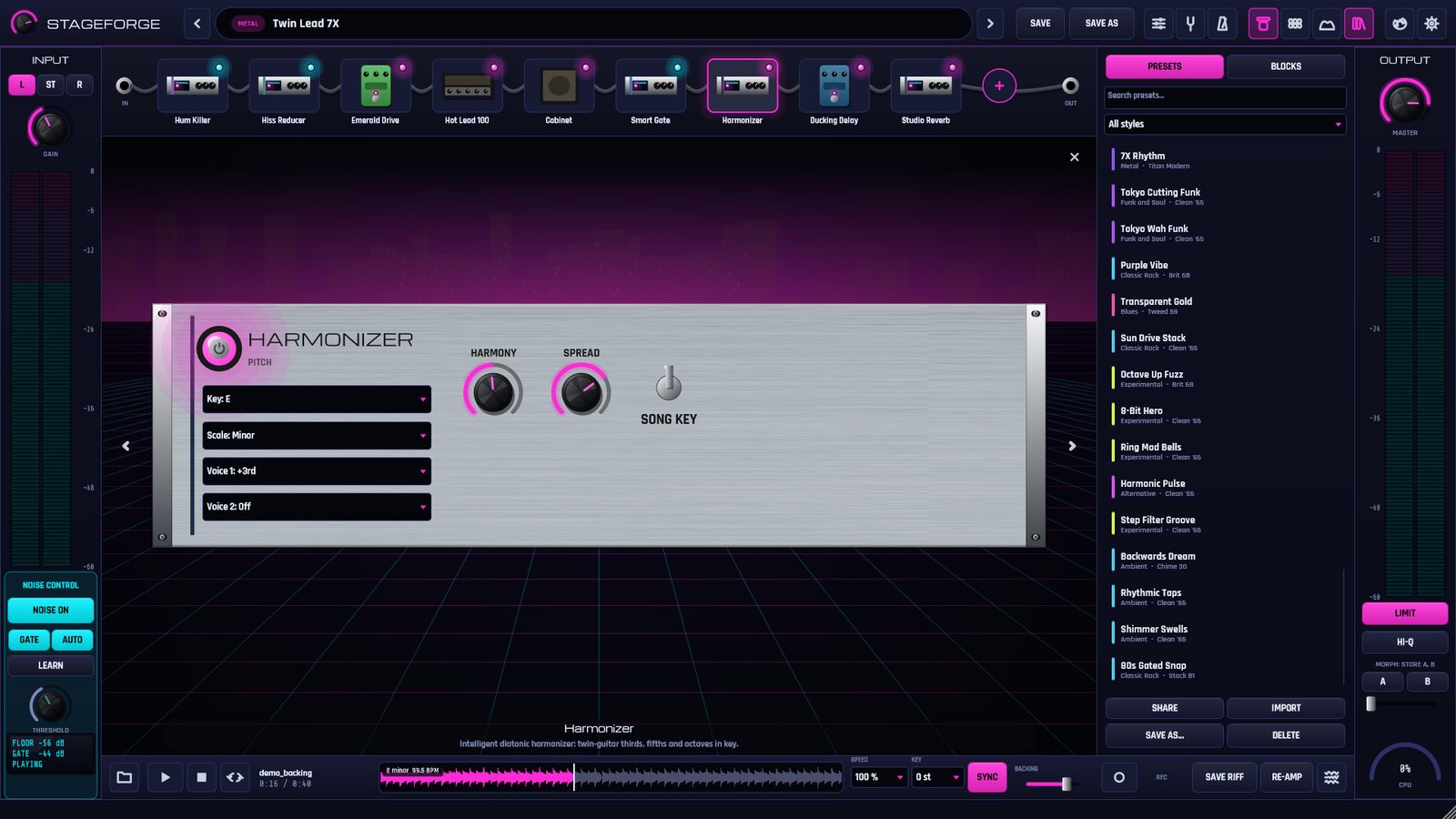
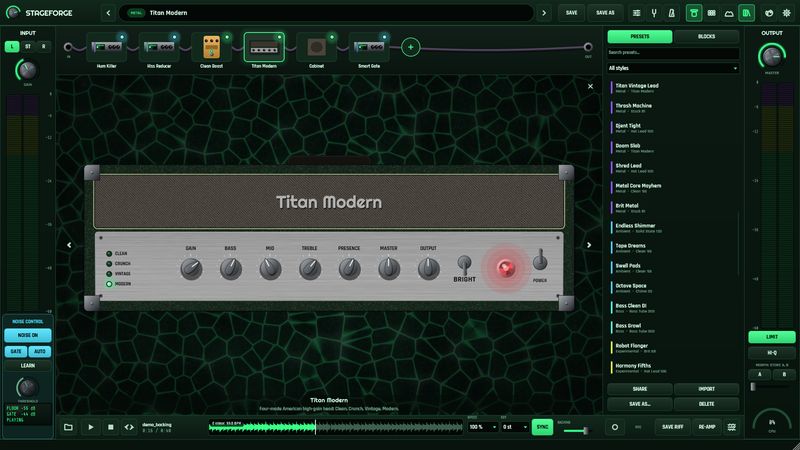
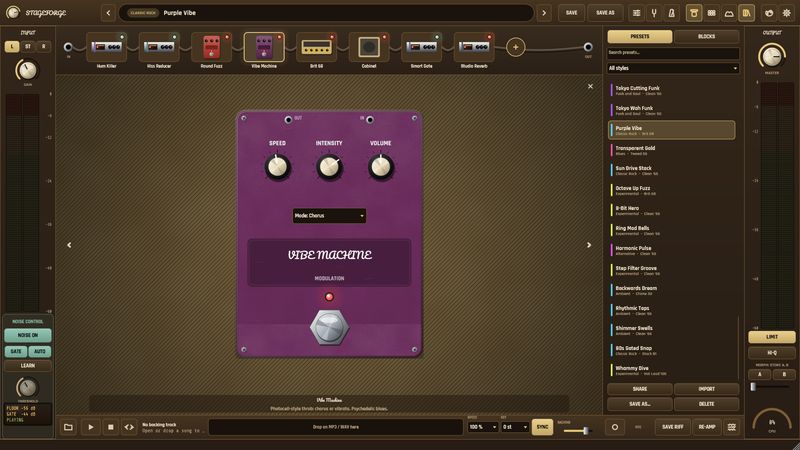
9 amp models and a neural capture loader (.nam), 9 cabinets with 3 microphones you drag into place, an IR loader and 52 pedals and studio effects.
Guitar amp & effects studio for Windows
64 amps and effects, noise suppression that never eats your notes and practice tools no other amp sim has: slow songs down, see the scale on the fretboard, carve room for your guitar in the mix and never lose a riff.
Windows 10/11 · Standalone + VST3 · 14 days free, no card needed
The essentials, done right
9 amp models and a neural capture loader (.nam), 9 cabinets with 3 microphones you drag into place, an IR loader and 52 pedals and studio effects.
From Texas blues to djent, harmonized twin leads and Tokyo-style funk, plus five Starter presets to begin with. Switch presets and the volume stays put.
Load an MP3, WAV, FLAC or OGG, loop the hard part and record your take as 24-bit WAV: the mix, the processed guitar and a clean DI.
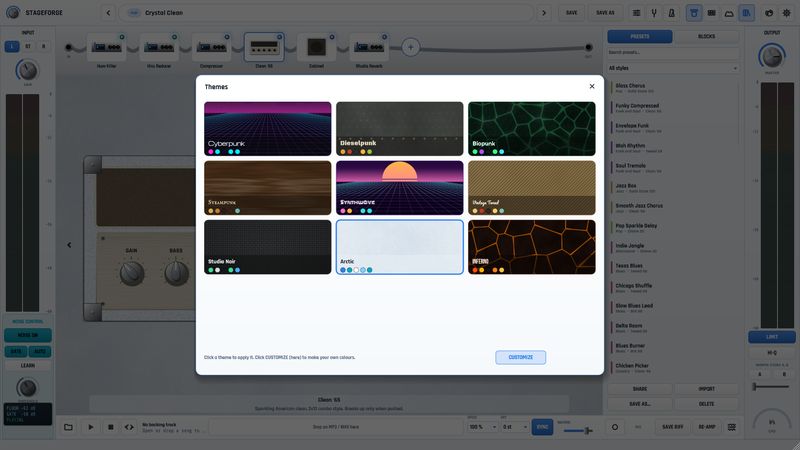
Cyberpunk, Dieselpunk, Biopunk, Steampunk, Synthwave, Vintage Tweed, Studio Noir, Arctic and Inferno, plus a theme editor.
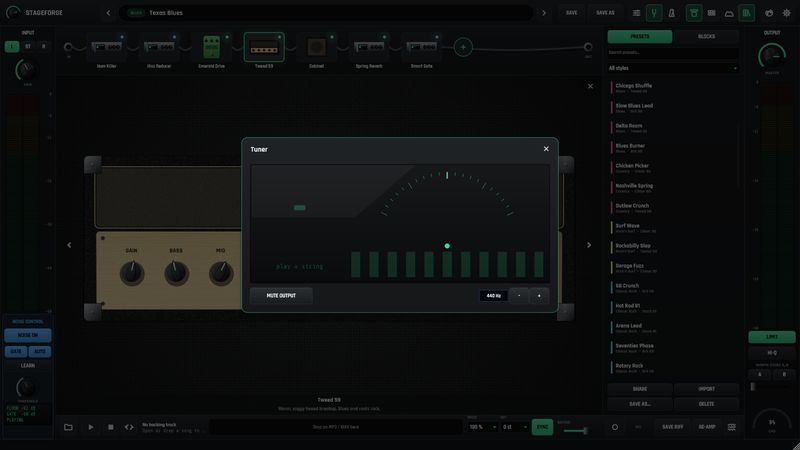
Also inside: an intelligent harmonizer that follows the song's key, a 60-second Loop Machine, a Stereo Tool, a tuner, a metronome, MIDI program change, HI-Q 8x oversampling and an output limiter.
Only in StageForge
StageForge always remembers your last 60 seconds. Played something great? Save it after the fact.
Every recording keeps a clean DI. Change the amp, the pedals or the whole preset after you played.
Play any song from 50% to 150% speed without changing its pitch, loop the hard part from A to B, or transpose it up to six semitones either way.
StageForge detects the key and tempo of your backing track. Press SYNC and delays and tremolos lock to the beat while the harmonizer plays in key.
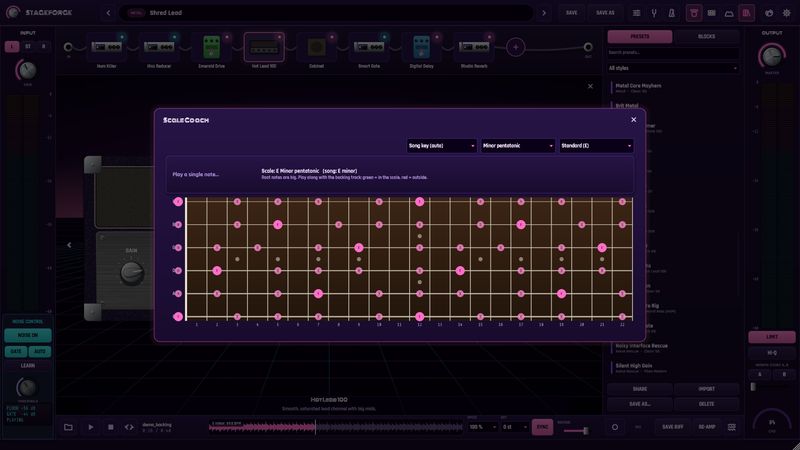
The song's scale on a fretboard. The note you play lights up: green inside the scale, red outside.
Your guitar and the song as two spectra, a strip that shows where they clash and a 6-band EQ for each. Or just press Make room.
Store two sounds and glide between them with a slider or an expression pedal (MIDI CC 1 / 11).
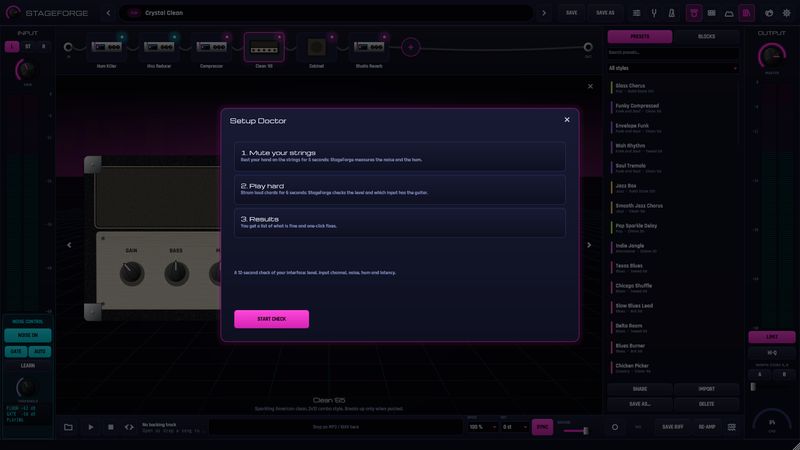
A 12-second check of your interface: level, input channel, hum, noise and latency, with one-click fixes.
Minutes played every day and your current streak, right in the status bar.
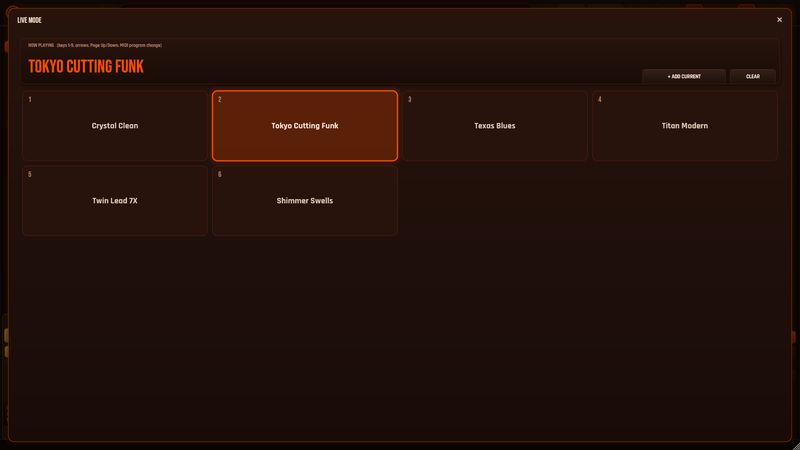
Share a whole rig as one line of text. Big-tile setlists for the stage, switched from the keyboard or with MIDI program changes.
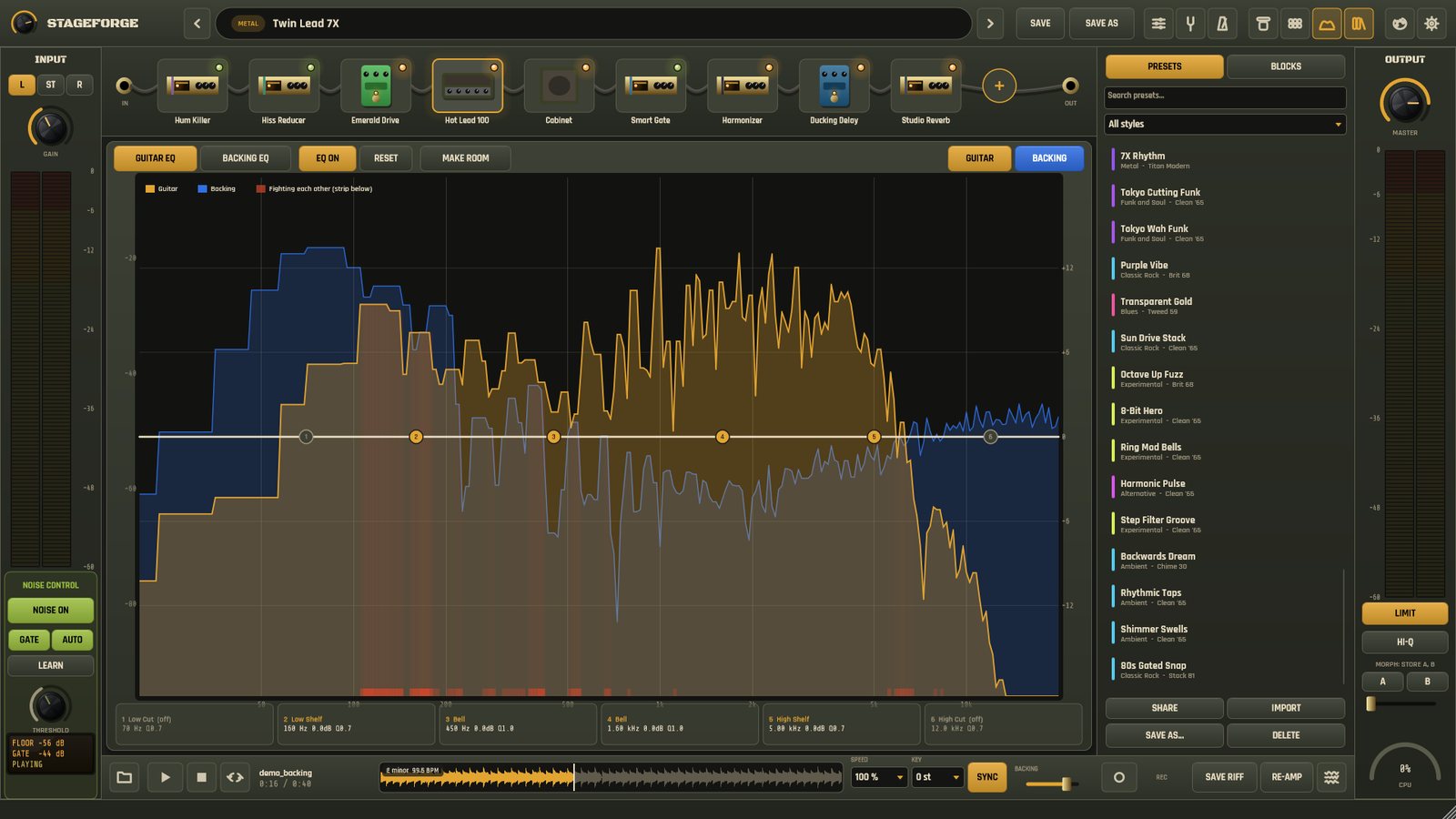
Mix view · visual EQ
Turn on Mix view and your guitar and the backing track appear as two separate live spectra. Underneath, a heat strip marks the frequencies where they mask each other.
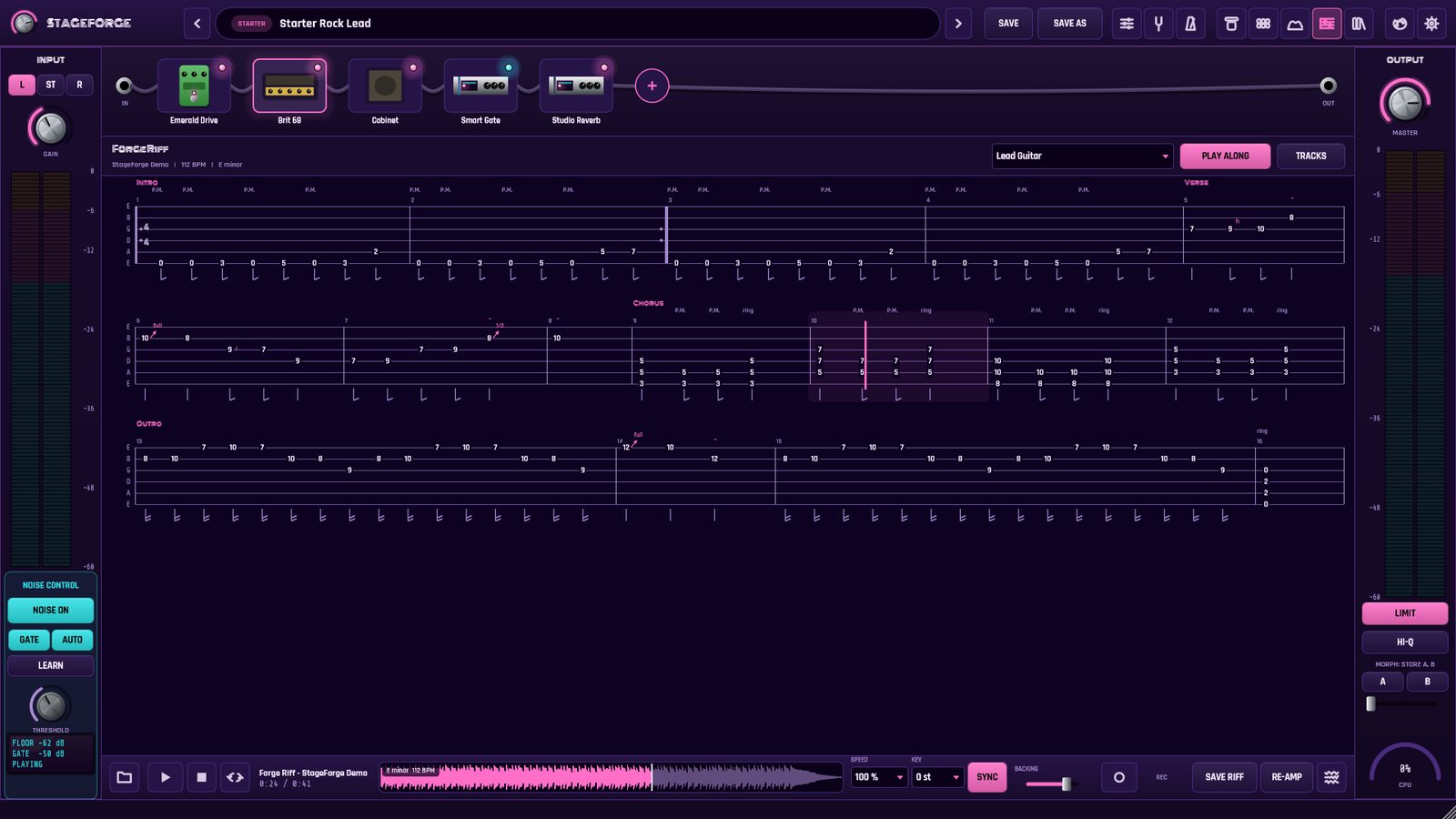
Guitar Pro tabs
Open any Guitar Pro file and StageForge shows the tablature, scrolls it with the song and plays the drums, bass and other guitars. Your part stays muted, so you play it through your own tone.
Built for real-world interfaces
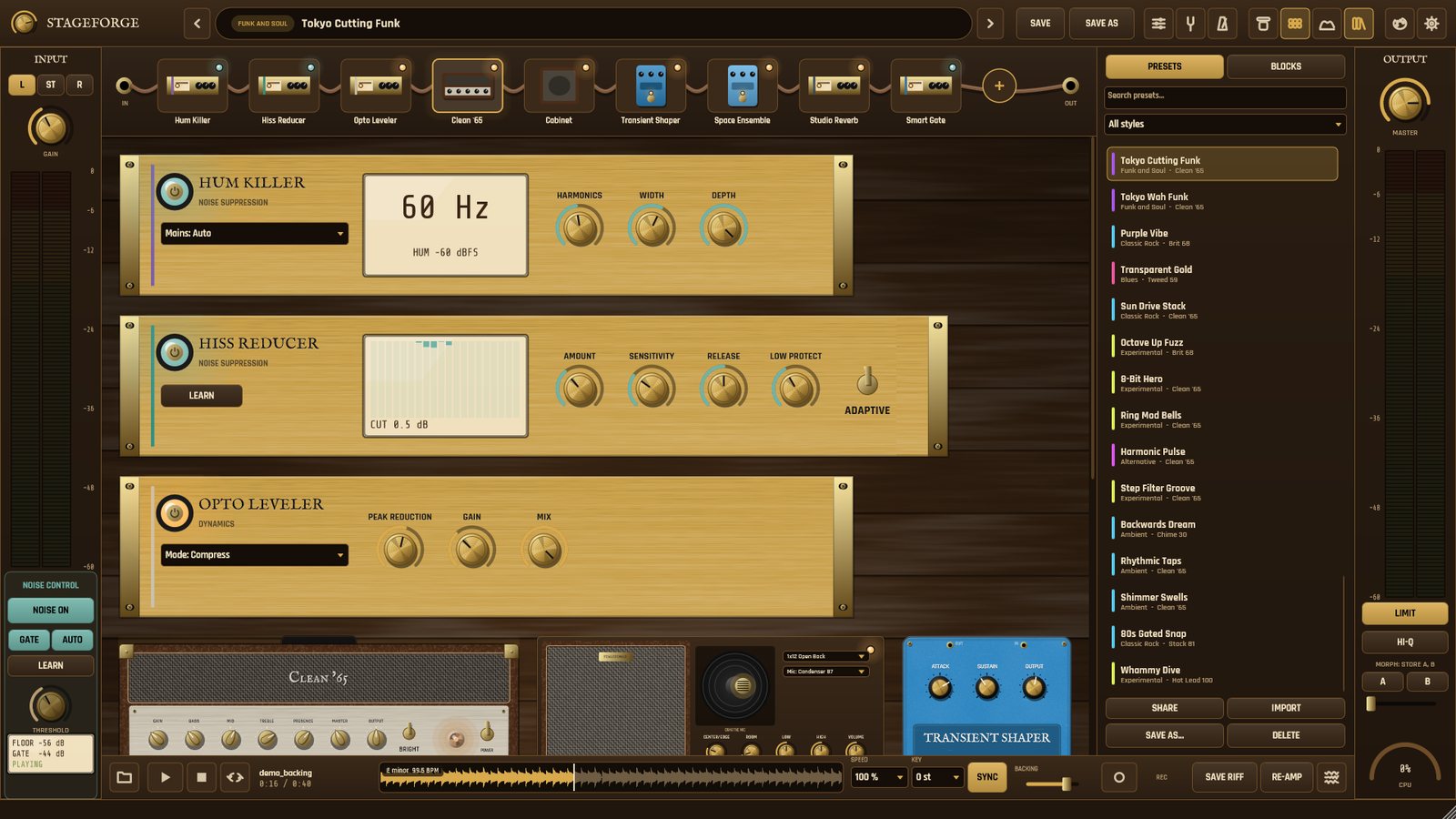
Cheap USB interfaces hum, hiss and buzz. StageForge learns the noise floor of your setup from the pauses between your phrases and keys its gates from the clean DI of your guitar, so pick attacks stay instant.
Three dedicated tools do the rest: Hum Killer removes 50 or 60 Hz mains hum and its harmonics, the Hiss Reducer takes out hiss transparently and the Smart Gate keeps the pauses silent.
Every preset is tested against a real noise recording: silence between phrases, full sustain while you play, and pick attacks that come through instantly.
New · Coming soon to Google Play
Your rig on a phone or tablet. Free to download, with StageForge Pro when you want everything.
Runs full screen in landscape on Android phones and tablets.
A low-latency audio path, so you can play through it in real time.
Plug in your USB audio interface and play.
Open backing tracks straight from your phone and share your recordings.
Free download, no time limit
US$6.99/ month
7-day free trial for new subscribers · monthly or yearly plan
StageForge for Android is not on Google Play yet; the link will appear here when it launches. Google Play shows the price in your local currency. Android and Windows subscriptions are separate purchases.
Windows · One plan, everything included
Local taxes are calculated at checkout by our reseller, Lemon Squeezy.
If Windows shows "Windows protected your PC" when you open the installer, click More info, then Run anyway.
On Android, StageForge Pro is a separate subscription through Google Play. See the Android edition.
A 64-bit Windows 10 or 11 PC and any guitar audio interface (ASIO or Windows Audio). The VST3 plug-in works in any DAW that supports VST3. An Android version is coming soon to Google Play; a macOS version is not available yet.
Download StageForge for Windows, open it and press Start free trial. Everything is unlocked for 14 days and no payment details are needed. On Android, Google Play gives new subscribers 7 days of StageForge Pro for free.
Only to activate and to renew the license from time to time. StageForge keeps working offline for up to 14 days between checks.
StageForge keeps working until the end of the period you already paid. After that it runs in demo mode. Your presets and recordings are always yours.
Yes, on two at the same time. To move it to another computer, open the License screen and press Deactivate this computer.
Lemon Squeezy is our online reseller (merchant of record). They handle the payment, the taxes of your country and your receipts, and let you manage or cancel the subscription.
That is exactly what StageForge was tuned on. The built-in Setup Doctor checks your level, input channel, hum and latency and fixes what it can.
Yes. StageForge for Android is coming soon to Google Play. It runs in landscape on phones and tablets, with low-latency audio and support for USB audio interfaces. It is free to download, and StageForge Pro (US$6.99/month, 7-day free trial for new subscribers) unlocks everything.
The Clean '65 and Brit 68 amps, the Cabinet, Emerald Drive, Studio Reverb and Smart Gate, automatic noise control, the tuner, metronome, Setup Doctor, practice stats, backing-track playback, the five Starter presets and tone codes. You can also hear any Pro block for 30 seconds before deciding.
No, they are separate purchases. The Windows subscription is sold through Lemon Squeezy and StageForge Pro for Android through Google Play, and each one is managed and cancelled in its own store.
Questions about StageForge, your license or a bug? Write to us and we will answer by e-mail.
You can also write to support@forgestage.app.